
White Label WhatsApp API: How to Add WhatsApp to Your SaaS as a WasenderAPI Partner
White Label WhatsApp API: How to Add WhatsApp to Your SaaS as a WasenderAPI Partner
Your customers already live on WhatsApp. Sooner or later they ask the same question: "Can your platform send and receive WhatsApp messages?" If you run a CRM, a booking tool, a POS system, a helpdesk or a marketing agency, a white label WhatsApp API is the fastest way to say yes without building and running WhatsApp infrastructure yourself.
This guide explains what a white label WhatsApp API is, how the WasenderAPI Partner Program works, exactly what it costs, how the integration looks in code, and how to decide whether it is the right fit for your platform.
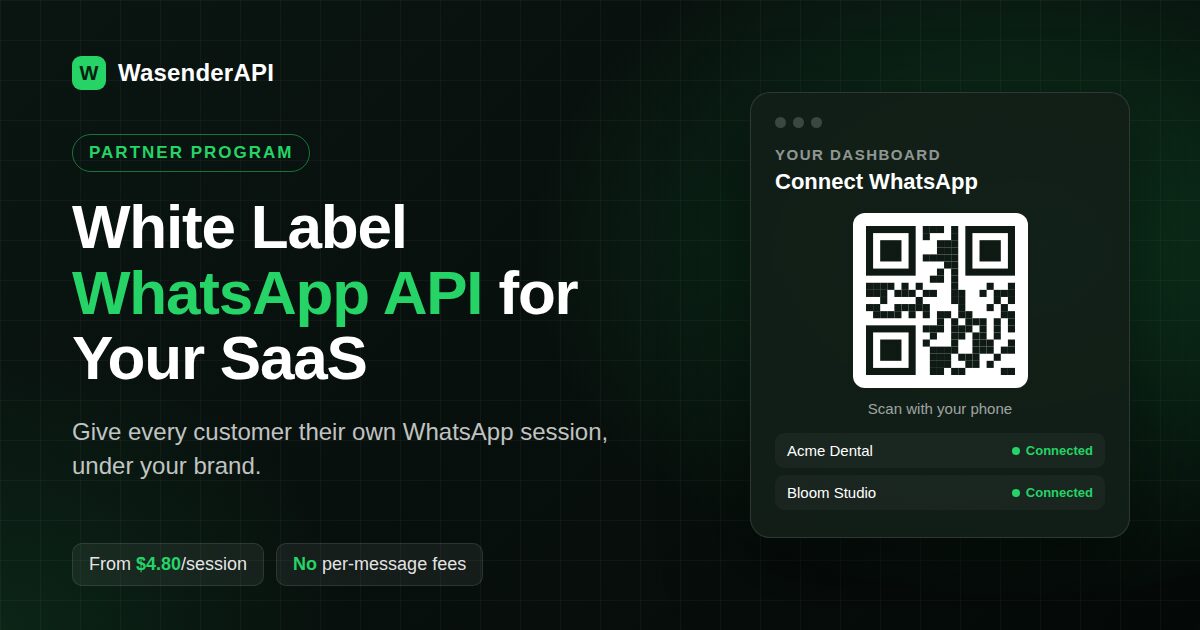
Quick summary: WasenderAPI partners pay a flat $6/month base fee plus $6.00 per active WhatsApp session per month, dropping to $4.80 per session once you pass 100 active sessions. There are no per-message fees, your users never see the WasenderAPI brand, and you set your own prices. The program is invite only, so you apply here.
What is a white label WhatsApp API?
A white label WhatsApp API is a messaging backend you embed inside your own product and sell under your own brand. Your users connect their WhatsApp number from your dashboard, send messages from your interface and pay you. The API provider stays invisible behind the scenes.
It is different from simply reselling a WhatsApp tool. With a reseller panel, your customers usually log into someone else's product with your logo on it. With an API-level white label, there is no third-party panel at all: you own the UI, the onboarding, the pricing and the customer relationship, and the provider only powers the infrastructure.
Who uses a white label WhatsApp API?
- SaaS platforms that want WhatsApp as a native feature instead of an integration their customers have to set up elsewhere.
- CRMs and ERPs that need two-way conversations logged against contacts and deals.
- POS and booking systems sending receipts, order updates and appointment reminders.
- Customer support tools adding WhatsApp as an inbox channel.
- Automation platforms such as n8n or Zapier-style builders exposing WhatsApp as a step.
- Marketing agencies managing WhatsApp for many client brands from one system.
Why become a WasenderAPI partner?
The WasenderAPI Partner Program is built for platforms that manage many WhatsApp numbers on behalf of their own customers. It is a true multi-tenant setup: every one of your users gets an independent session, created and controlled through the API.
Fully API-first
Every feature is exposed through the REST API. You create sessions, fetch QR codes, send messages, manage contacts and groups and read logs programmatically, so WhatsApp fits into your existing backend and automation pipelines. The full reference is in the API documentation.
White label at the API level
Your end users interact only with your UI. They scan a QR code inside your dashboard and never see WasenderAPI anywhere in the flow.
No artificial limits
There is no fixed cap on the number of sessions, and you are not billed per message. You decide your own plan limits and margins, and you can scale horizontally as your user base grows.
Webhook-driven and real time
Inbound messages, delivery status updates and connection events arrive on your webhook instantly, so you can build inboxes, chatbots and alerts on top of live data.
Independent, isolated sessions
Each client runs in its own session with its own API key. One customer's problem does not spill over into another customer's account, which matters a lot once you have hundreds of tenants.
Cloud connectivity
Sessions keep working even if the user's phone temporarily loses connection or goes offline.
How much does the WasenderAPI Partner Program cost?
Partner pricing is usage based and transparent. You pay for the WhatsApp sessions that are actually active, not for message volume.
| Item | Price |
|---|---|
| Partner base fee | $6 per month (flat) |
| Under 100 active sessions | $6.00 per session per month |
| 100+ active sessions | $4.80 per session per month (20% off) |
| Per-message fees | None |
How billing works
- Credit balance: you top up a credit balance and session costs are drawn from it.
- Prorated new sessions: a session created mid-month is only charged for the remaining part of the month.
- Refund on delete: when you delete a session, the unused amount goes back to your balance.
This makes it simple to mirror your own billing: when a customer churns, you delete their session and stop paying for it.
Example monthly costs
| Active sessions | Rate per session | Total per month (incl. $6 base) |
|---|---|---|
| 10 | $6.00 | $66 |
| 50 | $6.00 | $306 |
| 100 | $4.80 | $486 |
| 250 | $4.80 | $1,206 |
| 500 | $4.80 | $2,406 |
What margin can you make?
Say you add WhatsApp to your platform as a $19/month add-on and 200 of your customers turn it on. Your revenue is $3,800 per month. Your WasenderAPI cost is $6 + (200 × $4.80) = $966 per month. That leaves roughly $2,834 per month of gross margin, and because there are no per-message fees, a customer who sends a lot of messages does not eat into it.
How does the white label integration work?
The integration follows four steps, and your users can be connected in minutes.
- Create a session: when a customer enables WhatsApp, your backend creates a new session for them through the REST API.
- Show the QR code: you fetch the QR code and display it inside your own dashboard.
- The user scans: your customer scans it with the WhatsApp app on their own phone to link their number.
- Send and receive: you send messages with that session's API key and receive replies and status updates on your webhook.
Step 1: Create a session for your customer
Account-level calls use your Personal Access Token. This request creates a session and points its webhook at your server (Create Session docs):
curl -X POST "https://www.wasenderapi.com/api/whatsapp-sessions" \
  -H "Authorization: Bearer YOUR_PERSONAL_ACCESS_TOKEN" \
  -H "Content-Type: application/json" \
  -d '{
    "name": "Customer 1042 - Acme Dental",
    "phone_number": "+447700900123",
    "account_protection": true,
    "log_messages": true,
    "webhook_url": "https://yourapp.com/webhooks/whatsapp",
    "webhook_enabled": true,
    "webhook_events": ["messages.received", "session.status", "messages.update"]
  }'
Step 2: Connect and display the QR code
Start the connection, then render the returned qrCode string as an image in your UI with any QR library (Connect docs, QR code docs):
curl -X POST "https://www.wasenderapi.com/api/whatsapp-sessions/{sessionId}/connect" \
  -H "Authorization: Bearer YOUR_PERSONAL_ACCESS_TOKEN"

# Refresh the QR code while the user is on the connect screen
curl "https://www.wasenderapi.com/api/whatsapp-sessions/{sessionId}/qrcode" \
  -H "Authorization: Bearer YOUR_PERSONAL_ACCESS_TOKEN"
Listen for the session.status webhook to know when the user has scanned and the session is connected, then update your dashboard.
Step 3: Send messages with the session API key
Each session has its own API key. Store it against the customer it belongs to and use it for that customer's messages:
curl -X POST "https://www.wasenderapi.com/api/send-message" \
  -H "Authorization: Bearer CUSTOMER_SESSION_API_KEY" \
  -H "Content-Type: application/json" \
  -d '{
    "to": "+447700900456",
    "text": "Hi Sarah, your appointment is confirmed for Tuesday at 10:00."
  }'
Step 4: Receive replies on your webhook
Incoming messages arrive as messages.received events and delivery or read updates as messages.update. Route each event to the right tenant by session, and you have a two-way WhatsApp channel inside your product.
Tip: keep the Personal Access Token on your server only. It controls every session on your account, while each session API key only controls one customer's number.
White label WhatsApp API vs the official WhatsApp Business Platform
Most "white label WhatsApp" offers you will find are Business Solution Providers reselling Meta's official Cloud API. That route suits some businesses, but it works very differently from WasenderAPI.
| WasenderAPI Partner | Official Cloud API via a BSP | |
|---|---|---|
| Connection | User scans a QR code with their own WhatsApp | Business verification and number registration with Meta |
| Time to connect a user | Minutes | Often days, depending on verification |
| Message pricing | No per-message fees | Meta charges per message or conversation, plus any BSP markup |
| Message templates | Not required | Approved templates needed to start conversations |
| Your cost model | Flat per active session | Varies with volume |
| Integration type | Web-socket based, unofficial | Official Meta API |
If your customers are small and mid-sized businesses that want to use the WhatsApp number they already have, with predictable costs, the partner model is usually the better fit. If you need Meta's official green tick and template-based marketing at massive scale, the official API is the right tool. For a deeper breakdown, read our guide on building a multi-tenant WhatsApp API architecture.
What to know before you apply
Transparency notes: each end user must connect their own dedicated WhatsApp number. The integration is web-socket based and is not the official WhatsApp Cloud API. Messaging is subject to WhatsApp's standard anti-spam policies, so bulk unsolicited messaging can get numbers banned.
Practically, that means you should:
- Make it clear in your own terms that customers are responsible for how they message their contacts.
- Encourage opt-in messaging and sensible sending rates rather than cold blasts.
- Build your product around conversations, notifications and reminders people expect to receive.
Platforms that follow these habits get stable sessions and happy customers. Our Help Center covers session management and troubleshooting in more detail.
How to become a WasenderAPI partner
The Partner Program is invite only. The technical team reviews each application to make sure the use case fits, then sets you up with API credentials.
- Open the partner application form.
- Share your company, your platform URL and a short description of your use case.
- Estimate how many WhatsApp accounts you expect to connect and how far along your integration is.
- Once approved, you receive your credentials and can start creating sessions for your users.
A good application explains who your customers are, what they will use WhatsApp for, and roughly how many numbers you expect to connect in the first few months.
Not ready to apply yet? You can create a regular account and test the API on a single number first, or compare our standard pricing plans.
Frequently asked questions
What is a white label WhatsApp API?
It is a WhatsApp messaging backend you embed in your own software and sell under your own brand. Your users connect and message from your interface, and the API provider stays invisible.
How much does the WasenderAPI Partner Program cost?
A flat $6/month base fee, plus $6.00 per active session per month under 100 sessions, or $4.80 per session per month at 100+ active sessions. There are no per-message fees.
Will my customers see the WasenderAPI brand?
No. The white label is at the API level. Your customers use your UI and scan the QR code inside your dashboard, so they never interact with WasenderAPI directly.
Is there a limit on sessions or messages?
There is no fixed limit on sessions and no per-message billing. Messaging still has to respect WhatsApp's anti-spam policies.
What happens to billing when a customer cancels?
Billing runs on a credit balance. When you delete a session, the unused amount for that session is returned to your balance, and new sessions are prorated.
Is this the official WhatsApp Business API?
No. WasenderAPI uses a web-socket based integration, not Meta's official Cloud API. Each end user links their own WhatsApp number by scanning a QR code.
Can I resell WhatsApp API access to my clients?
Yes. That is exactly what the program is for. You set your own pricing and plan limits, and you keep the margin between what you charge and your per-session cost.
How do I join?
The program is invite only. Submit the form at wasenderapi.com/partner and the technical team will review your use case.
Related Posts
n8n + WaSenderAPI: Master WhatsApp Automation Without Code (2025 Guide)
Discover the most affordable WhatsApp automation solution only $6/month with WaSenderAPI combined with no-code n8n workflows. Build perfect, custom WhatsApp automations quickly and easily without coding. Follow our step-by-step guide to save costs while creating powerful, scalable, and secure WhatsApp messaging for your business.
Create a Free WhatsApp AI Chat Bot with Python and Gemini (Full Guide)
Learn how to create a free WhatsApp AI chatbot using Python, Google’s Gemini API, and WaSenderAPI. This step-by-step guide helps you build and deploy an intelligent WhatsApp assistant at minimal cost no need for WhatsApp Business API.

WhatsApp API Rate Limits Explained: How to Scale Messaging Safely in 2025
Struggling with WhatsApp messaging restrictions? Learn how Meta's tier system works, how to upgrade your daily limits, and how to scale your broadcasts safely without getting banned.